Client portal
File an order or an advisory request from your own desk.
This page explains the desk. Sign-in is on this site, and only for clients the group has already given access.
01
What the portal is
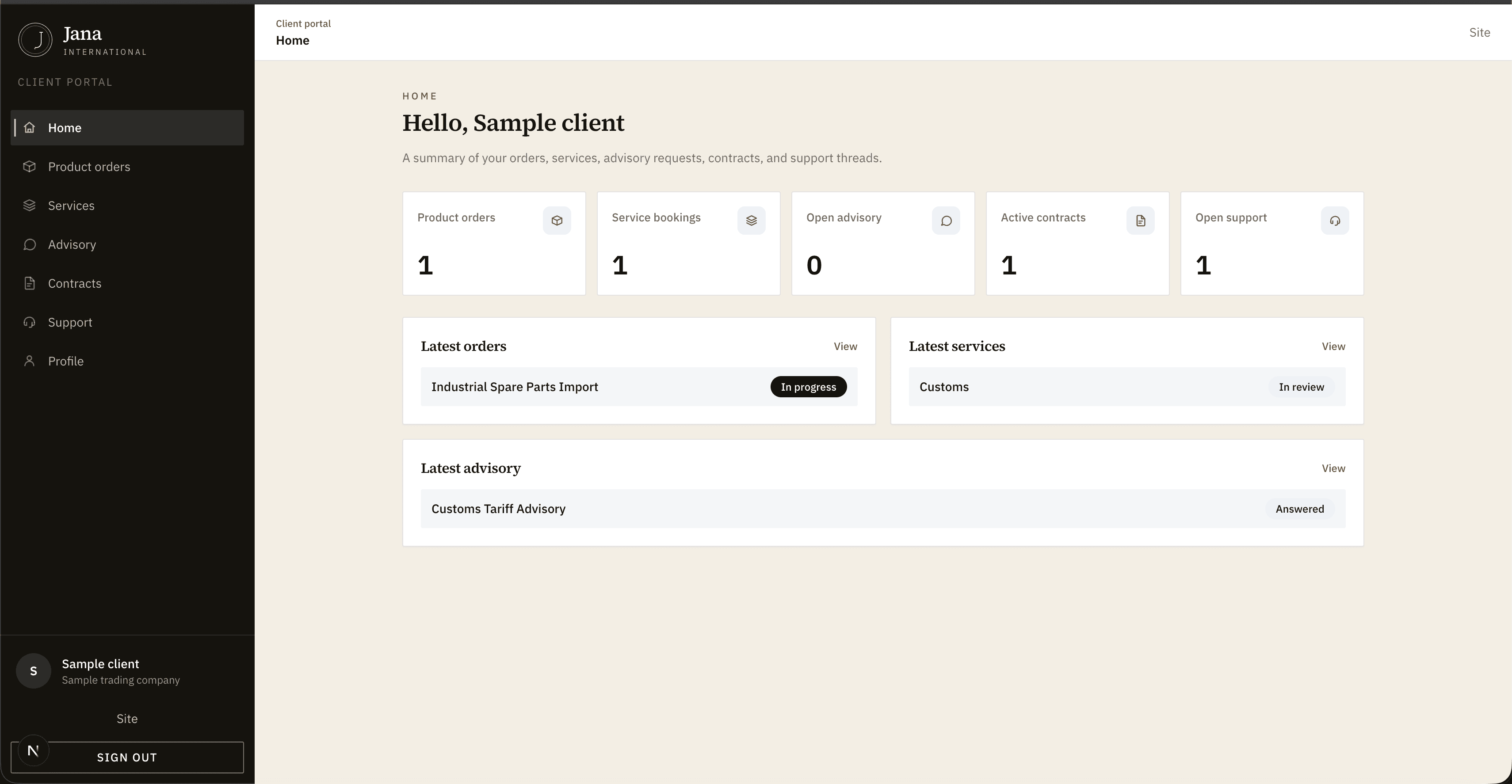
A private desk for clients of the group. Orders and advisory requests are filed here, apart from the public site and the contact form.
02
Getting access
The office issues the account. There is no public registration. The username and password come from Jana International Holding.
03
Signing in
Use Client access on this site. After email and password, enter the code sent by message. If you have no password, write to the office from the contact page.
04
Placing an order
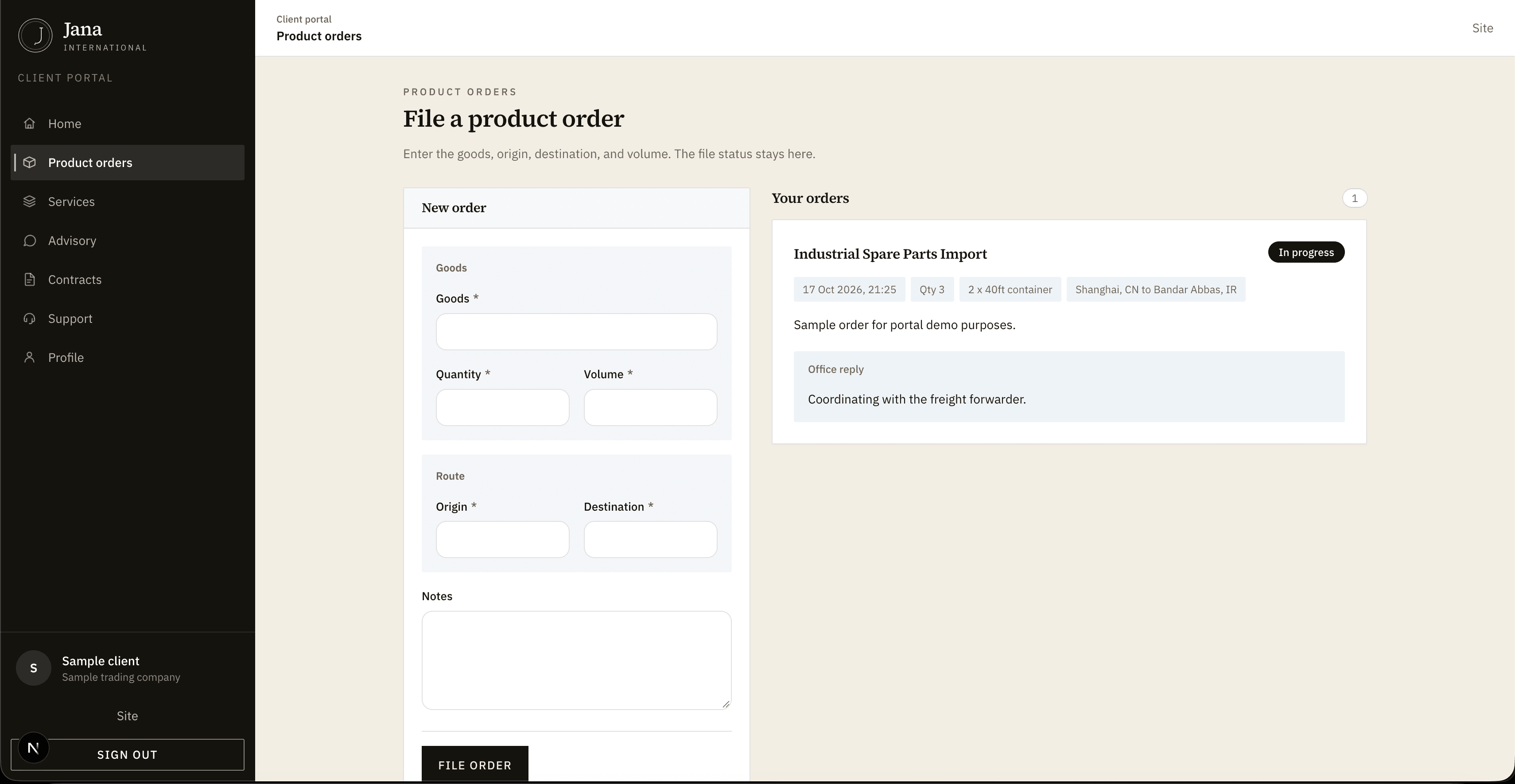
From the dashboard, open a product order. Enter the goods, origin, destination, and volume, then file it.
05
Asking for advice
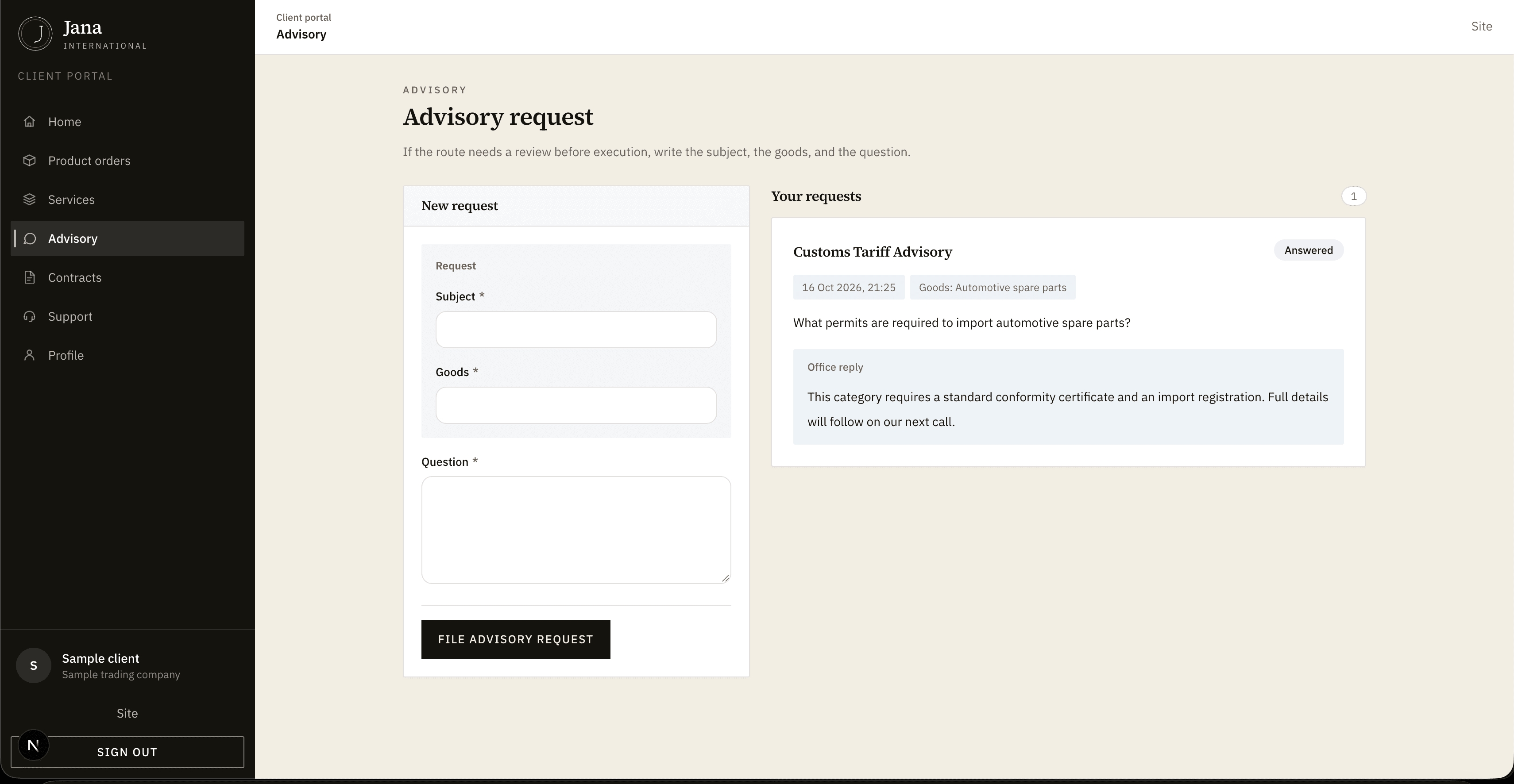
If the route needs a review before execution, use the advisory form in the dashboard. Write the subject, the goods, and the question.
06
Following status
Each order and each advisory request stays on the same dashboard. Read the file status there, not on the public contact form.
Inside the desk
The desk, before you sign in
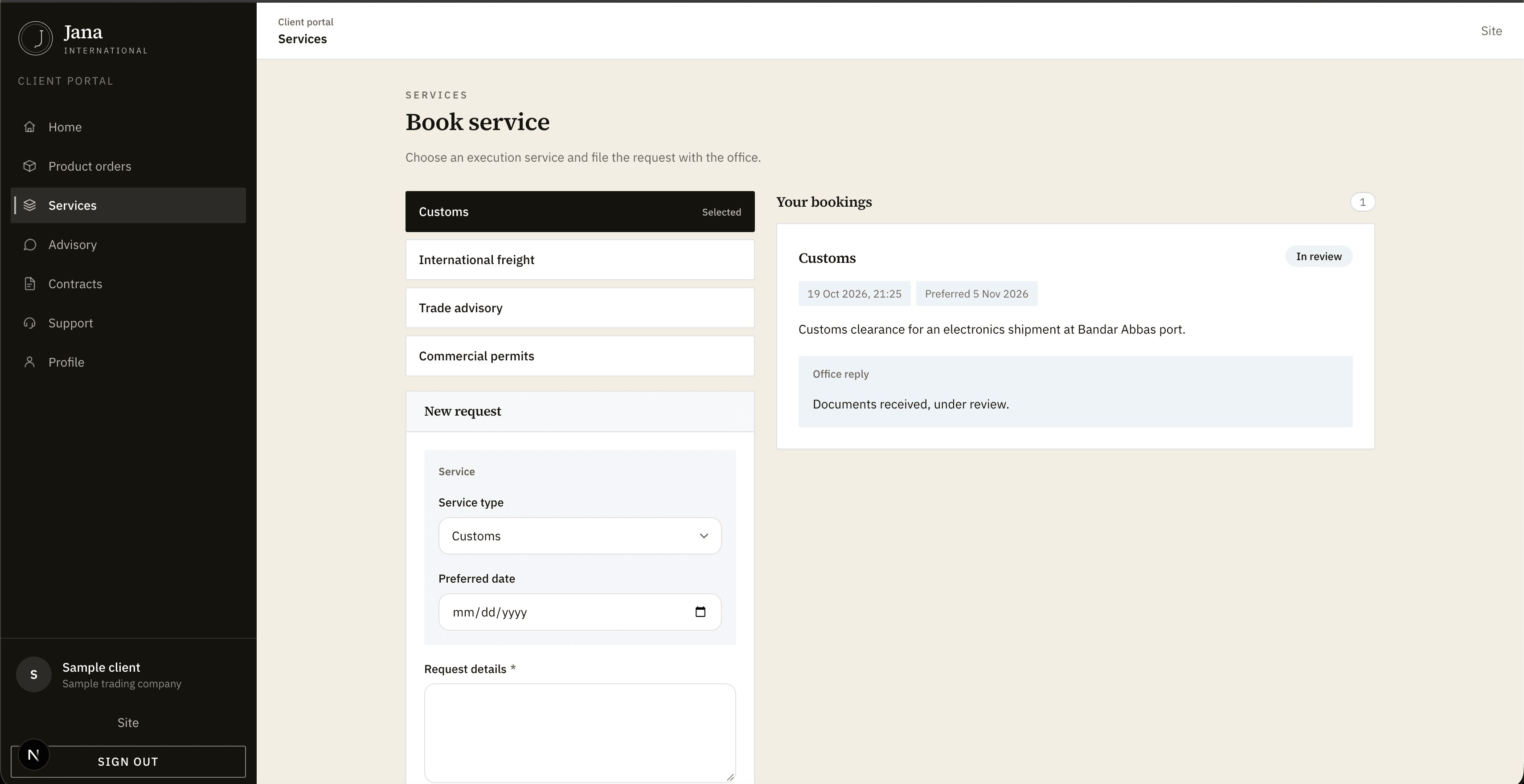
Product orders, service bookings, advisory, contracts, and the thread with the office. Screenshots stay empty until the office sends them.
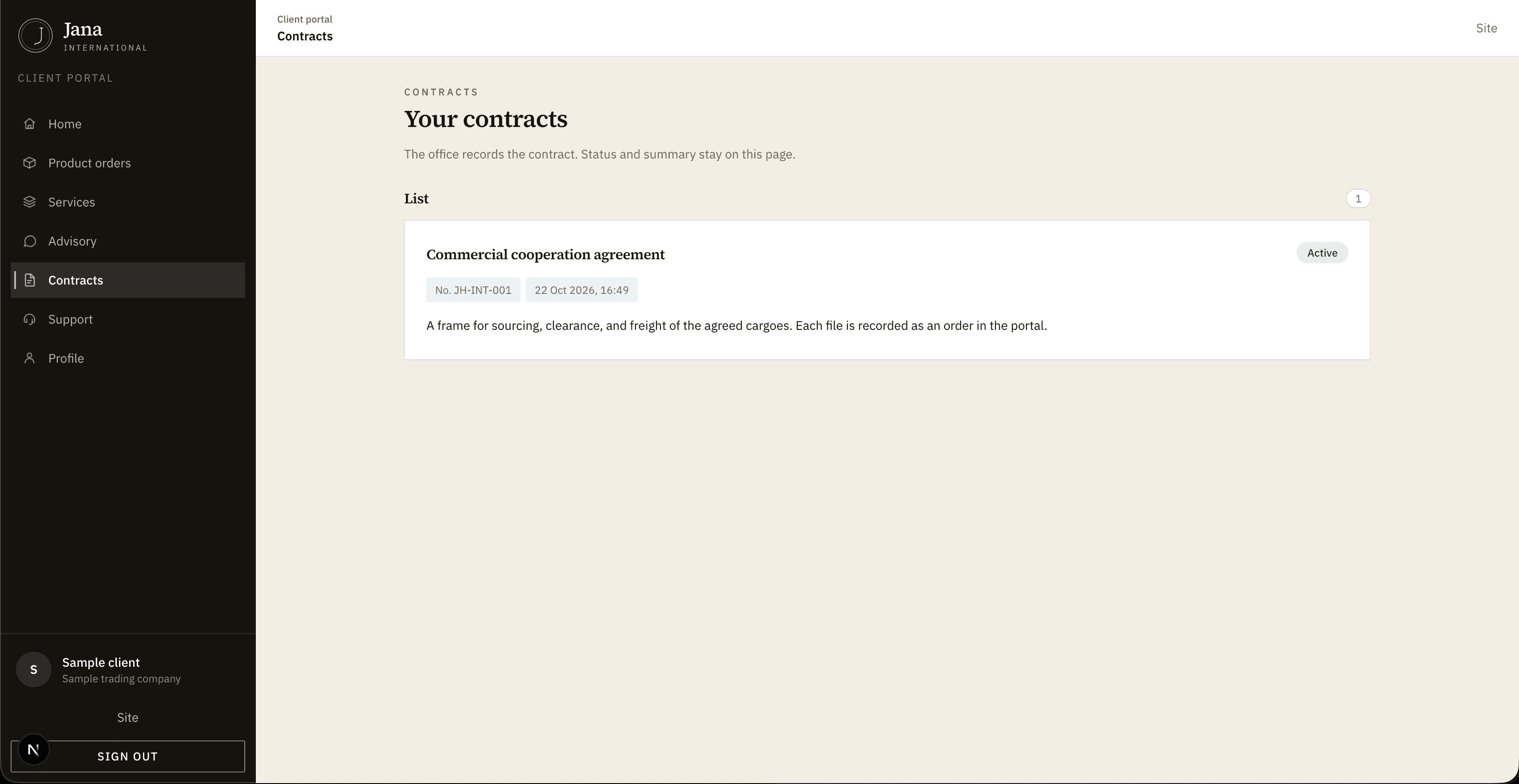
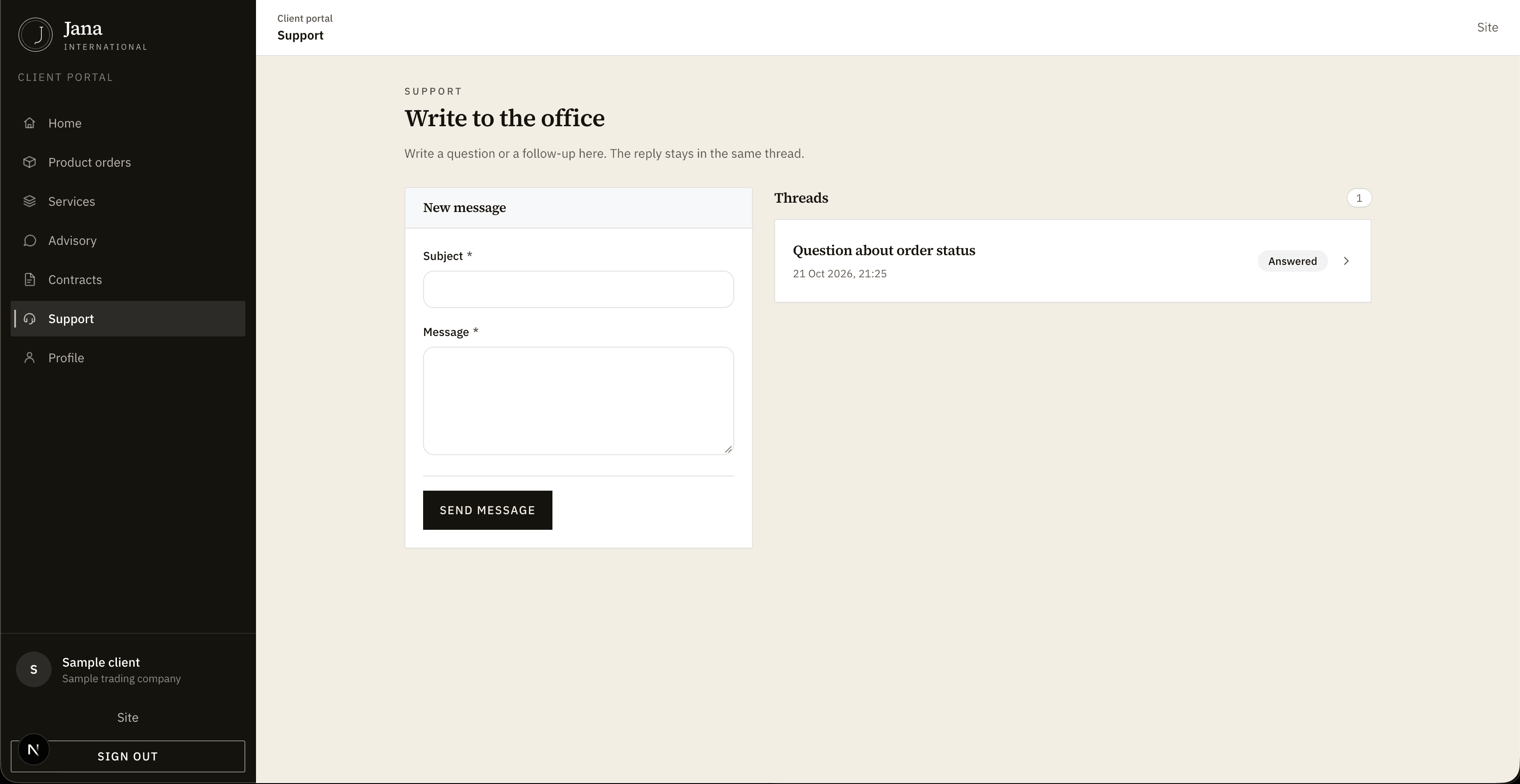
1 / 6
Dashboard